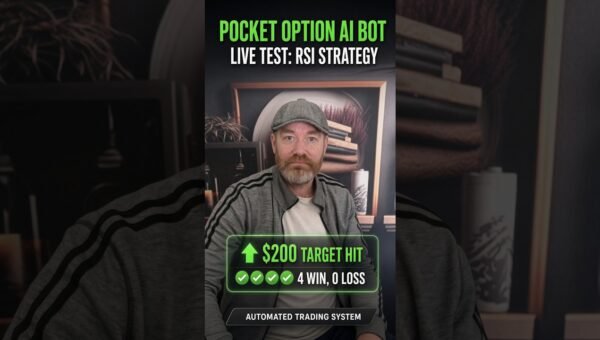
In the first episode of a new daily series, a live test of the Pocket Option Auto Trader was performed using the “ZigZag Reversal” strategy on a five‑second closing timeframe. The video documents the entire process, from loading the bot to the moment the trade is closed, offering a transparent view of how the automated system behaves when faced with a rapid, high‑frequency strategy. For traders who have been curious about whether a ready‑made bot can reliably execute a strategy that they would otherwise have to code and monitor themselves, this demonstration provides an essential benchmark.

🤖 Get the Pocket Option Auto Trader Free
The bot used in this video is available free for users who want to test automated Pocket Option trading with the same type of setup shown in the video.
Desktop users: Get the desktop bot here
Mobile users: Open the mobile bot page here
What happened in the video
The presenter opened the Pocket Option Auto Trader on a desktop computer, selected the “ZigZag Reversal” configuration and set the closing time to five seconds. Once the bot was launched, it began scanning the market for the characteristic zigzag pattern that the indicator defines—a series of short price swings that reverse direction within a tight window. When the pattern matched the pre‑set criteria, the bot automatically placed a trade in the direction indicated by the reversal.
During the recorded session the bot executed a single trade, closed it after the five‑second interval, and displayed the result on screen. The video captures the exact moment the trade is entered, the brief holding period, and the final profit or loss figure displayed by Pocket Option. Throughout the test the presenter kept the user interface visible, allowing viewers to see the strategy parameters, the timing of the order, and the real‑time profit/loss readout.
At the end of the segment, the presenter announced that this was the first of many daily tests. The plan is to repeat the same process with every strategy available in the Auto Trader, first on the 5‑second timeframe and later on longer intervals to compare performance across different market conditions.
Why this test matters
Automated trading on Pocket Option has attracted attention because it removes the need for manual order placement, which can be error‑prone and time‑consuming. However, the market is filled with bots that promise high returns without showing concrete evidence. By conducting a live, unedited test of a specific strategy, the creator provides a rare data point that can be examined by traders who demand transparency.
Testing every strategy on the same rapid timeframe creates a controlled environment. The five‑second window is among the most demanding for any algorithm; price moves are swift and bid‑ask spreads can widen. If a strategy can survive this stress test, it demonstrates a level of robustness that may translate into better performance on longer timeframes, where the same logic is applied with more breathing room.
Furthermore, the series format—one new strategy each day—offers a systematic comparison. Over time, readers will be able to see which configurations consistently generate positive outcomes and which fall short, allowing them to make informed decisions about which settings to adopt for their own trading.
How the Pocket Option Auto Trader works
The Pocket Option Auto Trader is a software module that connects directly to a user’s Pocket Option account via API. After logging in, the trader chooses a strategy from a drop‑down list, configures parameters such as indicator thresholds, trade size, and closing time, and then activates the bot. Once running, the bot continuously monitors live price data, applies the selected indicator logic—in this case the ZigZag reversal—and triggers an order when conditions are met.
Key components of the system include:
- Indicator Engine: Calculates the ZigZag pattern in real time, identifying turning points that match the configured depth and deviation settings.
- Risk Management Module: Controls trade size, limits exposure per trade, and respects user‑defined stop‑loss or take‑profit levels if they are part of the strategy.
- Execution Layer: Sends market orders to Pocket Option instantly, ensuring that the trade is entered at the exact moment the signal is generated.
- Timing Controller: Closes the trade automatically after the pre‑set number of seconds—five seconds in the video—regardless of price movement.
The bot operates 24/7, requiring only the initial setup and occasional monitoring for connectivity or account balance changes. Because all decisions are made by pre‑programmed rules, the system eliminates the variability introduced by human emotion.
Why automation can help remove emotional trading
Emotions are the most common cause of trading mistakes. Fear, greed, and over‑confidence can lead a trader to abandon a well‑defined plan, to double‑down on losing positions, or to exit prematurely. An automated system enforces discipline by executing trades exactly as the rules dictate, no matter how the market feels at that moment.
In a five‑second strategy, there is virtually no time for a trader to intervene. The bot’s speed ensures that the order is placed at the precise instant a reversal is detected, which would be impossible for a human to replicate consistently. Moreover, the automated close removes the temptation to “let the trade run” longer than intended, a frequent source of profit erosion.
Automation also standardizes trade size and risk exposure. By pre‑defining the amount to risk on each entry, the bot guarantees that a single loss will not wipe out a large portion of the account. This systematic approach is essential for maintaining capital over many rapid trades, especially when the strategy is tested across multiple days.
Who this bot is for
The Pocket Option Auto Trader is best suited for traders who:
- Prefer a hands‑off approach and want to avoid the stress of watching charts constantly.
- Are interested in testing multiple strategies without learning how to code each one from scratch.
- Have an existing Pocket Option account and are comfortable with the platform’s risk parameters.
- Want to experiment with short‑term, high‑frequency setups such as the five‑second ZigZag reversal, but also intend to explore longer timeframes later.
- Are disciplined enough to monitor the bot’s performance, adjust settings when needed, and respect risk limits.
Beginners may find the visual interface and ready‑made strategies helpful as a learning tool, while experienced traders can use the bot as a baseline for custom tweaks or for parallel testing against manual trading methods.
How to get the bot
Access to the Pocket Option Auto Trader is provided at no cost for testing purposes. The links below direct users to the appropriate version for their device.
Desktop version: https://ewo2.short.gy/pocketoptionbot
Mobile version (Google Play): https://ewo2.short.gy/poplaystore
After downloading, the installation process is straightforward. Users log in with their Pocket Option credentials, select the “ZigZag Reversal” strategy, set the closing time to five seconds, and start the bot. Skar Finans recommends running the bot in a demo environment first to become familiar with its behavior before allocating real funds.
Risk note
Trading involves risk, and results can vary. The video shows one test only. Users should start carefully and only trade with money they can afford to risk.
Get the Pocket Option Auto Trader
The same bot shown in this video is available free for users who want to test the setup.
Desktop: Get the desktop bot
Mobile: Open the mobile bot page