A common question is “why isn’t my bot placing any trades?” Often the answer is on the bot panel: one setting is pausing it, stopping it, or the strategy is waiting for a signal. This is the checklist I go through, using only settings and behaviour from my own recorded sessions. I can’t see your screen, so I’ll explain what each setting does.

👉 Get the free Pocket Option bot and test it on a demo account (no deposit needed)
Quick answer
Check these in order: Start Agent, minimum payout, profit target and loss limit, max steps or loss streak, cooldown, the strategy’s signal and the expiry. The free Pocket Option bot overview shows what each part of the panel is for.
1. Did the agent actually start?
The panel reads from top to bottom: expiry time, strategy, trade amount, martingale, compounding, payout protection and risk protection. At the bottom is the Start Agent button. Changing a setting does not start anything; the button does. If the panel shows “Stopped”, start it again.
2. Minimum payout
Payout protection has one box: Minimum Payout %. The bot pauses when the payout drops below your number, and 0 means the feature is switched off. Payout on many assets moves during the day, so a high minimum can make the bot sit still for a while. For a test, lower it or set it to 0 and see whether trades start. The payout matters: at 92% you need about a 52.1% win rate to break even with flat stakes.
3. Profit target and loss limit
These two boxes are in Risk Protection. When the session result reaches the profit target or falls to the loss limit, the bot stops by itself. In my $10 loss limit test the panel showed “Stopped” right after the session reached +$101.00 with a $100 target. A zero in both boxes means no automatic stop at all. If the bot has gone quiet, look at the session result first: it may have done what you told it to. My stop loss and take profit guide explains both settings with real sessions.
4. Max steps and max loss streak
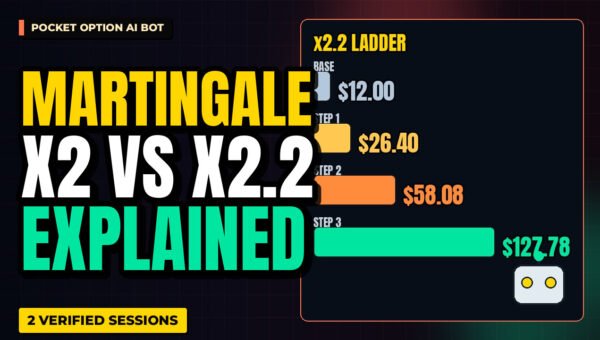
With martingale on, max steps (1 to 5) decides when the ladder ends, and the max loss streak box is grayed out because max steps already controls the stop. With martingale off, max loss streak stops the bot after that many losses in a row. Either can end a session, so check the last few results on the panel. Martingale and auto compounding cannot run at the same time.
5. Cooldown
Cooldown adds a pause, in seconds, between trades so the bot does not fire trade after trade. My Keltner Divergence and Stochastic sessions used a 10-second cooldown. If yours is set high, the bot will look slow.
6. The strategy may just be waiting
A strategy is a rule, and the bot only trades when the rule is met:
- Stochastic: the bot waits for %K to cross %D inside the oversold or overbought zone. In my sessions the zones were below 25 and above 75. It does not trade just because the line is high or low.
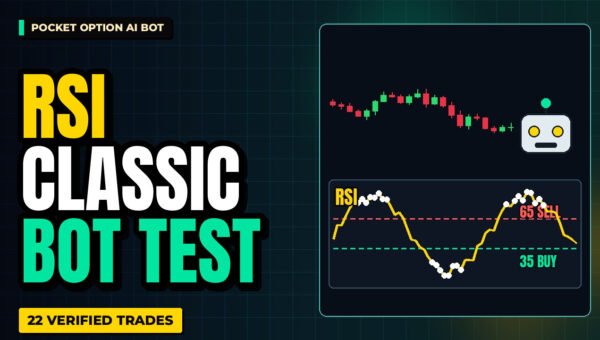
- RSI Classic: it buys when RSI is under 35 and sells when it is over 65. In the middle, there is nothing to do.
- Confirmation: when several checks disagree, the bot does nothing. Skipping a trade is a decision too.
If no signal appears, no trade is placed. The bot has 24 strategies, so try another one on a demo account if this one stays quiet.
7. Expiry changes the pace
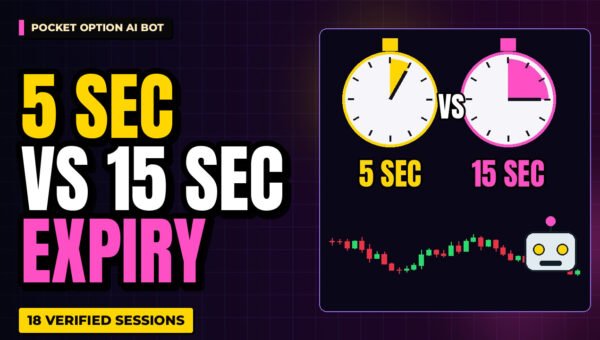
The expiry range is 5 seconds to 5 minutes, and the bot waits for a new signal between trades. In my sessions, 24 trades took about 2 minutes 38 seconds at 5 seconds, while 48 trades took about 18 minutes 56 seconds at 15 seconds. Roughly speaking, 15-second sessions were 2.5 to 7 times slower. I compare both in Expiry time for bots: 5 seconds vs 15 seconds.
What I can’t diagnose from here
I can’t tell you whether something is wrong with your connection or broker account, and I won’t guess. I would reset the panel to a simple setup, run it on a demo account and compare it with how to set up the free AI trading bot. The stake range is $0.05 to $1,000 per trade, so a tiny stake is enough to see whether it trades. Demo steps: how to test the bot on a demo account.
FAQ
Why is my Pocket Option bot not placing trades?
Most often one panel setting is pausing or stopping it: minimum payout, a profit target or loss limit already reached, max steps or max loss streak, a long cooldown, or a strategy that is waiting for its signal.
What does Minimum Payout % do?
The bot pauses when the payout drops below your number. A value of 0 switches this off.
Does a loss limit stop the bot?
Yes. When the session result falls to the loss limit, the bot stops. The same happens at the profit target. A zero in both boxes means no automatic stop.
Is a slow bot a broken bot?
Not necessarily. The bot waits for a new signal between trades, and longer expiries make sessions slower. In my sessions, 15 seconds was roughly 2.5 to 7 times slower than 5 seconds.
Do I need to deposit to test the bot?
No. The bot is free and works on a Pocket Option demo account with virtual money.
Written by Frode Skar, Skar Finans. Every setting and number above comes from the bot panel and my own recorded sessions.
Trading is high risk and you can lose money. Not financial advice.